

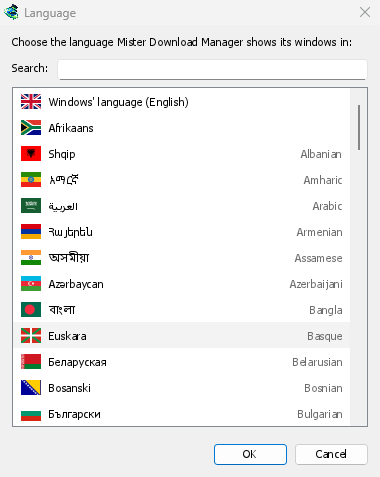
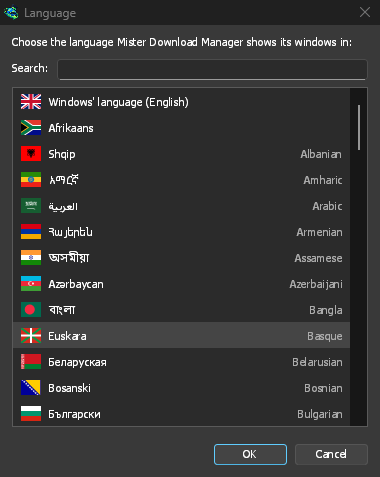
Every language Windows offers
The list covers every display language of Windows 11, including both Chinese scripts, Spanish for Spain and Mexico, French for France and Canada, Portuguese for Portugal and Brazil, and Serbian in Cyrillic and Latin. The languages page lists them all.
The setup asks for its language first, with Windows' own already selected, and MDM starts in the one you pick. A zip copy shows the list on its first start instead: each language with its flag, its own name and its English name. The setup speaks the same languages, and the browser extension speaks your browser's.
Change it at any time, no restart
View → Language... opens the same list. Type in Search to narrow it, then double-click a language. The window switches at once. Windows' language, at the top, follows Windows' display language, and falls back to English when MDM doesn't have it.
Right to left, done properly
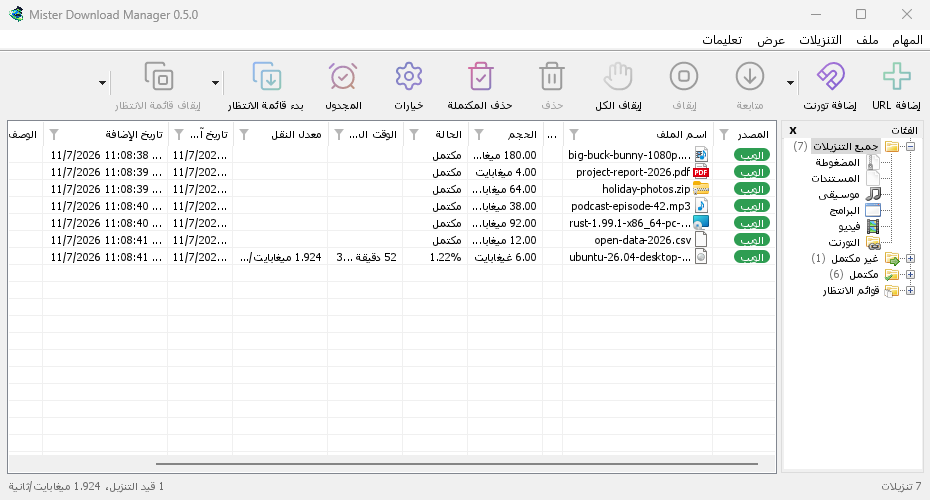
In Arabic, Hebrew, Persian, Urdu and Uyghur the whole window is mirrored, the way Windows does it for these languages. File names, addresses and folder paths keep their own direction inside translated sentences, so they stay readable. MDM uses the system's own fonts for every script.
Honest about the translations
Most translations were written by machine and are waiting for a native speaker to check them, so some wording may sound wrong. A text not translated yet shows in English. If you speak a language well, you can fix it: each one is a plain text file in the repository, and the translation guide shows how to send changes, as a pull request or an issue.
Numbers your language's way, and buttons that fit
Counts, sizes, speeds and percentages will be written the way the chosen language writes them
(German 10.200 and 1,50 MB, French 10 200), whatever the Windows region; a region in the
same language keeps its own way. English stays as it is. Buttons will grow to fit their
translated text in every window, so a longer German or Russian label is no longer cut short.
Dates keep following your region, or your own choice in Options → Regional.
Free, open source, no ads, no trial.
Download Mister Download Manager