

One asterisk, a whole series
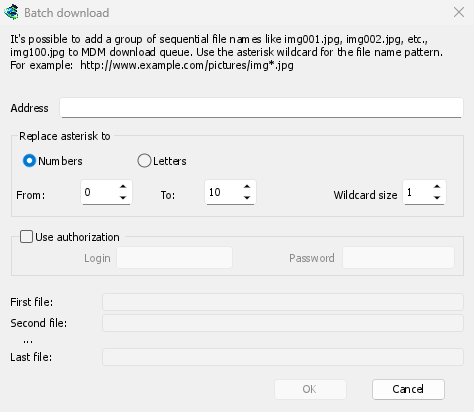
Choose Tasks → Add batch download and write the address with one asterisk where the files
differ: https://example.com/photo*.jpg. Under Replace asterisk to, choose Numbers or
Letters, then From and To. For numbers, Wildcard size sets the number of digits:
with 3, the files are photo001.jpg, photo002.jpg and so on.
Before you click OK, the window shows the First file, Second file and Last file, so a typo shows up before anything downloads. If the server needs a login, tick Use authorization. Copied the address already? Tasks → Add batch download from clipboard fills it in.
Straight into a queue
The files go to a queue, not all at once. MDM asks which one, and that question can be turned off in Options → Downloads. From there the queue runs as many files at a time as you set, and the Scheduler can start it at night. See Queues and the Scheduler.
A list of links from a file
Have the links already, in a text file? Tasks → Import → From text file reads every web
address in it, and you untick the ones you don't want. From IDM export file reads an .ef2
list, with each download's referrer and cookies, so a list exported from IDM comes over with
what its downloads need. You can also drop a .txt or .ef2 list on the download list.
The other way works too: Tasks → Export → To text file writes one address per line, and
To IDM export file writes an .ef2 list.
When an address is already in the list, MDM asks what to do, or follows the answer you chose in Options → Downloads → If a duplicate download link is added.
Imports with more to see
Imported lists open in Link grabber: the links sorted into packages, each one checked online with its real name and size, and offline links unticked. A batch download of links from a file host goes through your debrid account when its service supports the host.
Free, open source, no ads, no trial.
Download Mister Download Manager