

The file host's link, MDM's download
Paste a link from a file host your service supports, in Add URL, from the browser's Download with Mister Download Manager, or in a batch download. MDM unlocks it through your account, then downloads it with all its connections, pause and resume. When the direct link expires, MDM asks the service for a new one.
Download File Info says which account a link goes through, such as Download through
Real-Debrid (your account). Untick it to download that one link directly. The command line's
get uses your accounts too, and --direct skips them.
Sign in once
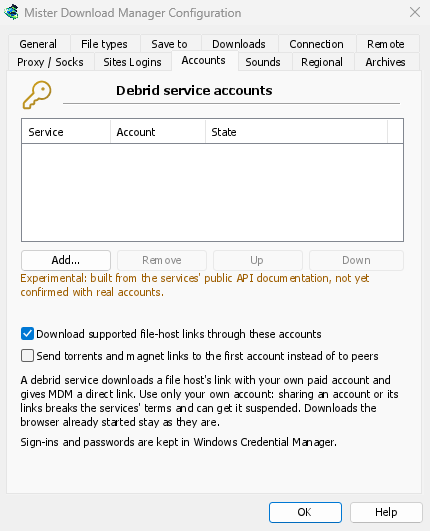
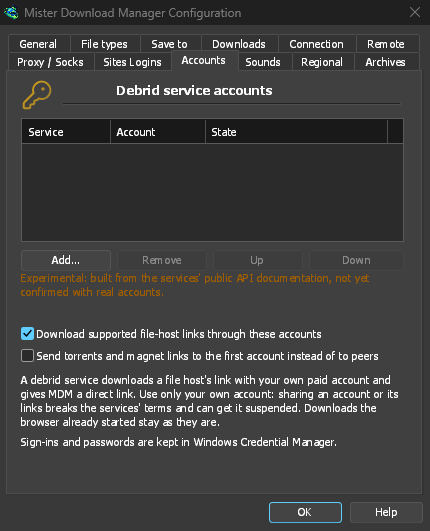
Options → Accounts → Add... takes Real-Debrid, AllDebrid and Premiumize. Real-Debrid and AllDebrid sign in with a code you confirm in the browser, or with your API token; Premiumize with its API key. MDM shows the account's name and whether it is premium. With several accounts, a link goes through the first one whose service supports its host.
Torrents without peers
Tick Send torrents and magnet links to the first account instead of to peers, and a magnet
link or a .torrent file goes to the service. It downloads the torrent on its own servers while
the list shows how far it is (45% at Real-Debrid). MDM then fetches the files over HTTP and
removes the torrent from the account's list. Your computer never connects to the torrent's
peers.
Experimental, and said so
MDM's support was built from each service's public documentation and is not yet confirmed with a real paid account. If something doesn't work with yours, please open an issue on GitHub, and never paste your token or key in it.
You need your own paid account with one of these services: MDM doesn't sell or include one. Sharing an account or its links breaks the services' terms and can get the account suspended.
Your sign-in stays private
The sign-in is kept in the system's keychain: Windows Credential Manager, the keyring on Linux, the macOS keychain. Without an unlocked one, it stays in MDM's own settings, and Options → Accounts says where it is. MDM sends a service only the links you download through it, with your token. The direct link is never shown or copied, since the services forbid sharing it, and the token is never written to MDM's log, crash reports or the command line's output. MDM asks each service well under its request limit.
Free, open source, no ads, no trial.
Download Mister Download Manager