

One window for any video page
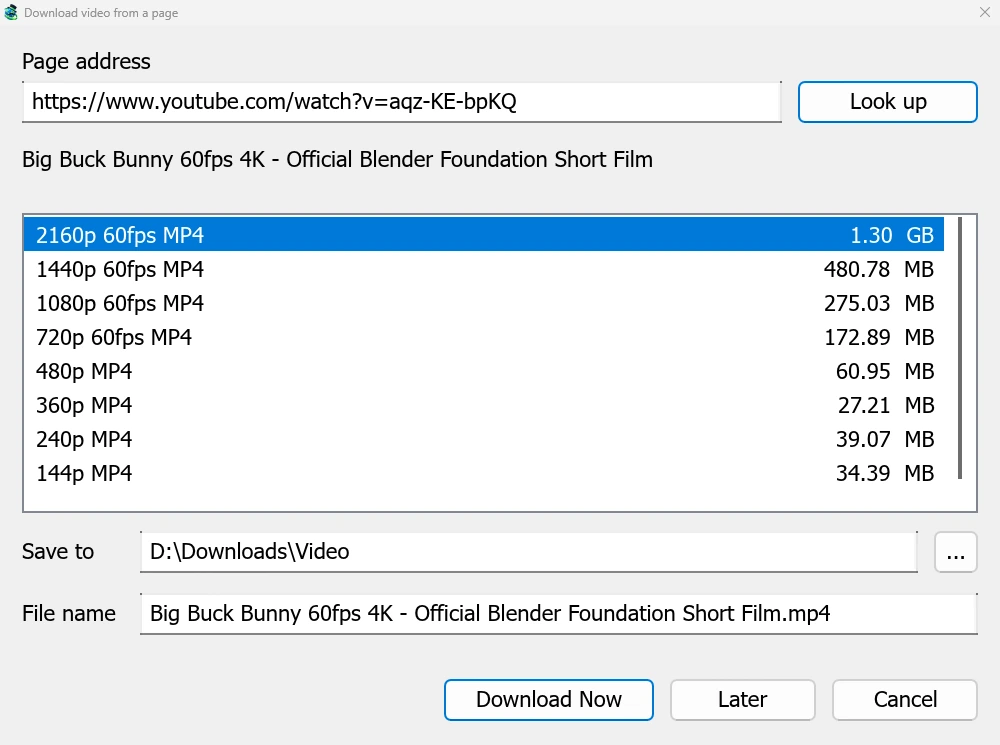
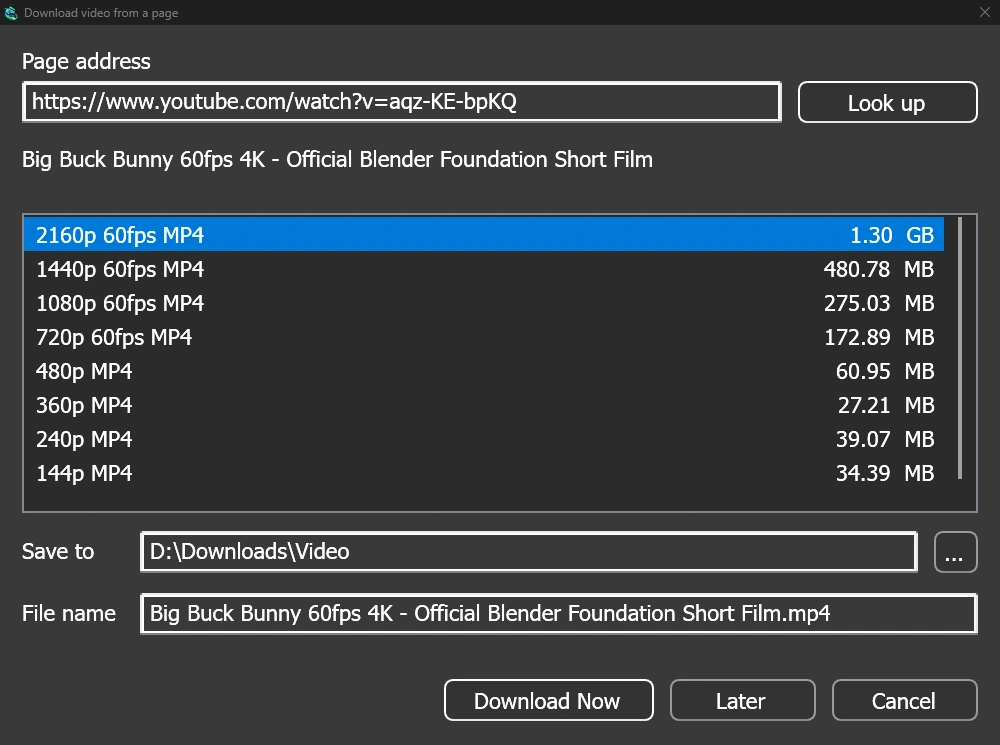
Give a video's page address to Add URL (Ctrl+N) and MDM sees that it is a video page: Download video from a page opens and looks it up. YouTube, Vimeo, Dailymotion, Twitch, TikTok, Instagram, Reddit and well over a thousand other sites work. With the browser extension, the button over a video opens the same window.
The list shows each quality with its size, best first, and the sound alone at the end. Check Save to and File name, then click Download Now, or Later to put it in the list for later. The video gets its own row and progress window, like any other download.
Two helpers, checked before use
MDM doesn't do this alone, and doesn't pretend to. yt-dlp reads the page and downloads the video. ffmpeg joins the picture and the sound when a site keeps them apart, which most sites do for their higher qualities. MDM offers both on its first start and downloads them from their official releases, checked against what their publishers sign before it uses them. On Linux and macOS MDM uses the system's ffmpeg.
Without ffmpeg you still get the qualities that come with their sound.
What it won't do
Videos protected with DRM, as most paid streaming services use, can't be downloaded, and MDM doesn't try. Downloading may be against some sites' terms: checking that is up to you.
Sites change often, and a newer yt-dlp usually fixes a video that stopped working. MDM doesn't update yt-dlp on its own yet; the help shows how to get the newest one.
Playlists, subtitles and MP3
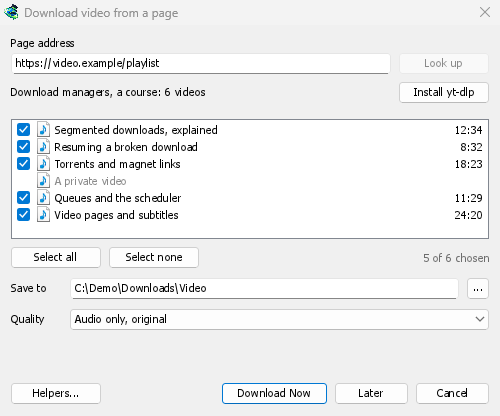
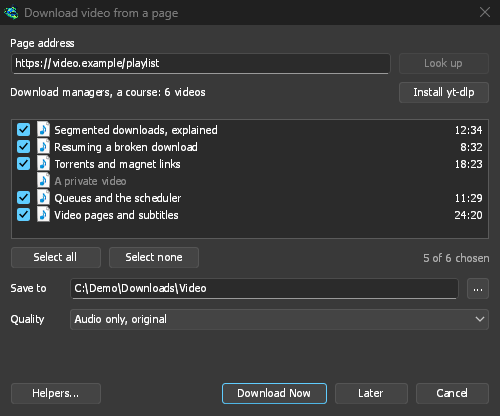
- Playlists and channels: paste a playlist's or a channel's address and the window lists its videos, all ticked. One quality applies to all of them, and they go into a folder named after the list. A channel is listed 50 videos at a time, with Load more.
- Subtitles: the uploader's languages first, then the site's automatic captions. They are saved beside the video, or put inside an MP4 or MKV file with ffmpeg.
- The sound alone: Audio only MP3 at its best variable bitrate or at 320, 256, 192 or 128 kbps, Audio only OPUS, and Audio only FLAC, with an honest note that FLAC can't add quality the site's sound doesn't have.
- Videos that need you signed in: Options → Sites Logins → Cookies for video sites lets yt-dlp read a browser's cookies, for pasted links. Chrome, Edge and Brave lock theirs on Windows, and the window says so; Firefox works, and so does the button over the video.
- Your own yt-dlp and ffmpeg: Helpers... takes a copy you already have.
Free, open source, no ads, no trial.
Download Mister Download Manager